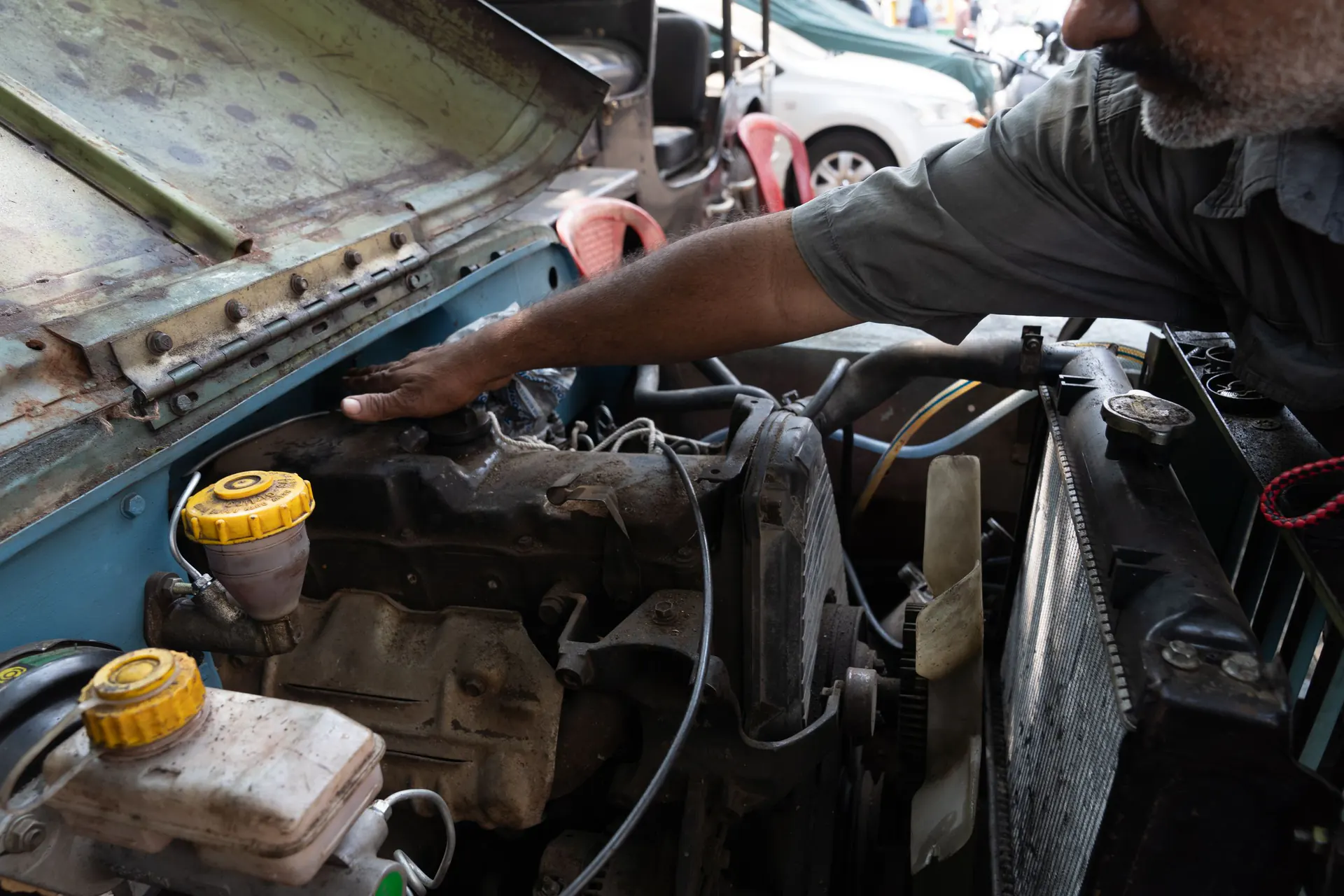
Features
Everything the counter of an oil-change shop needs.
And a straight answer on what is still on its way. Each section says whether it is available now, available with limits, or waiting on someone else.
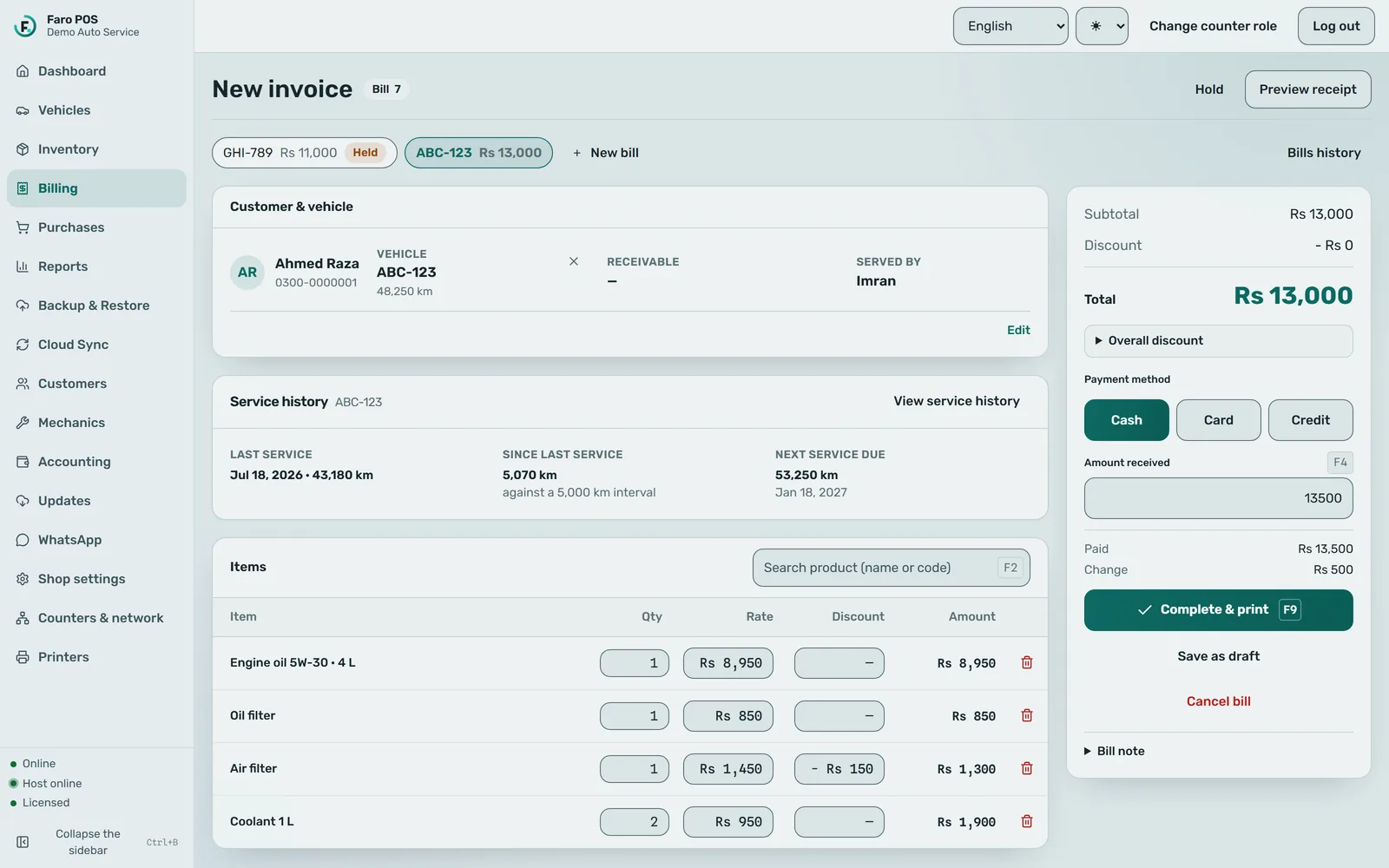
Billing at the counter
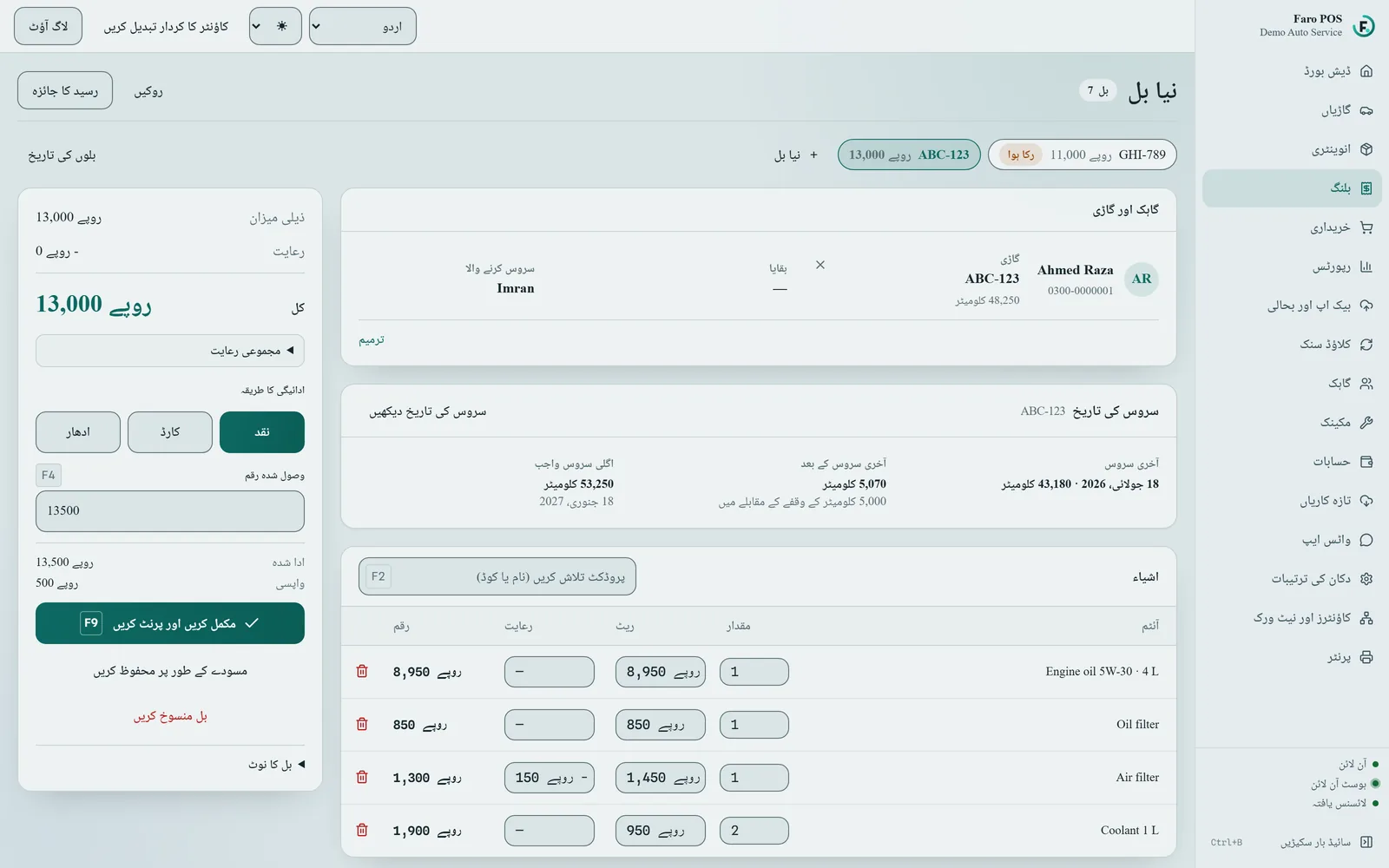
A bill is built from the keyboard and saved on the counter PC in one step.
- Find items by name or code, or scan a barcode with a scanner that types like a keyboard.
- Discount a single line or the whole bill.
- Record which mechanic served the customer.
- Keep several bills open at once while cars are still on the ramp.
- Record payment by cash, card, JazzCash, EasyPaisa, bank transfer or on credit (udhaar). Faro records the method; it does not process card or wallet payments itself.
- Each saved bill gets the next number in an unbroken sequence, and its stock, cash and credit entries are saved together or not at all.
Vehicles and the next service
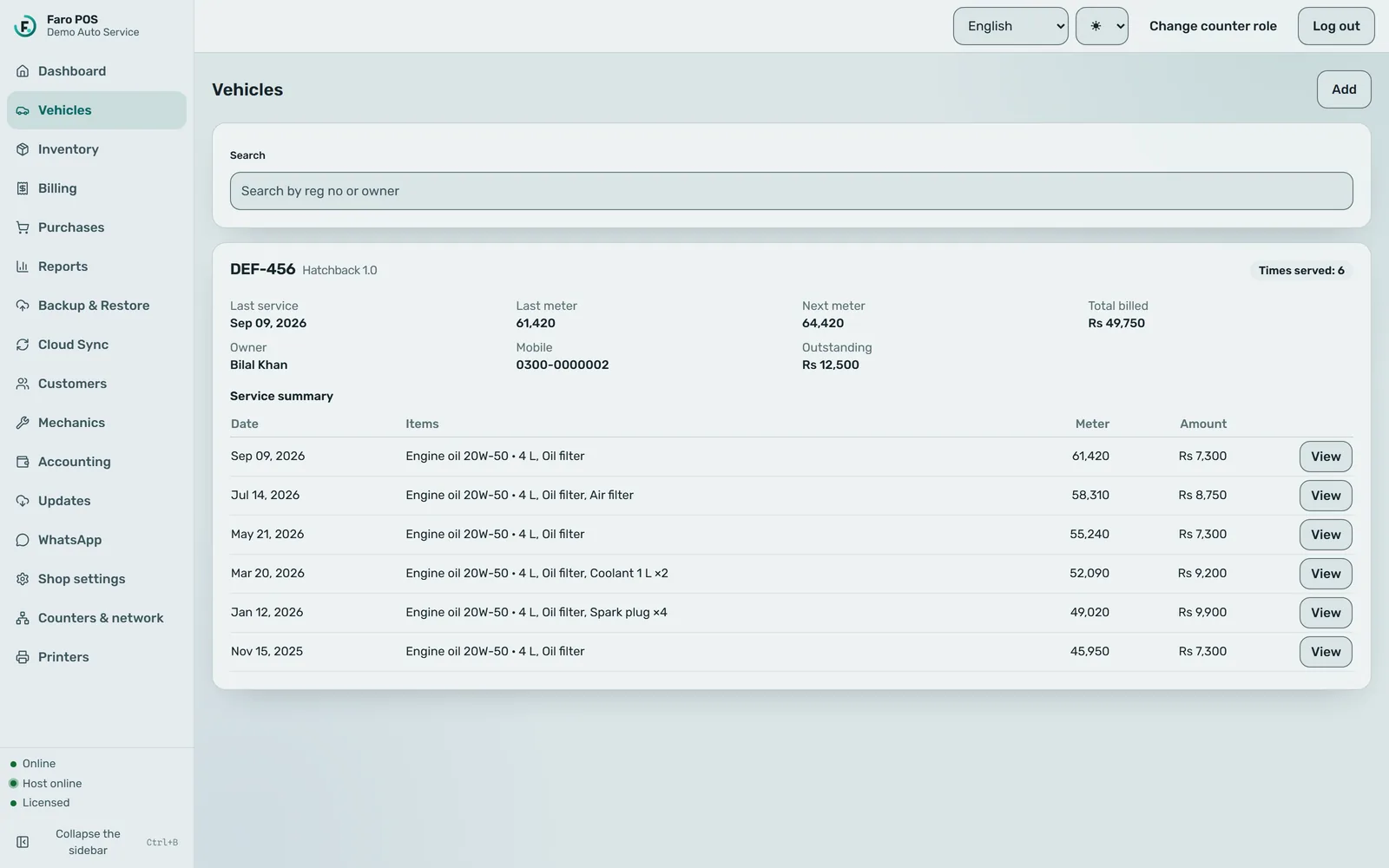
The car is the record: who owns it, what was done, and when it is due back.
- Look up a vehicle by its registration and see its service history and meter readings.
- Give each oil or filter a rated life in kilometres; Faro adds it to today’s meter reading to work out the next service due.
- The next service due is saved with each visit and shown on the on-screen receipt.
Stock and purchases
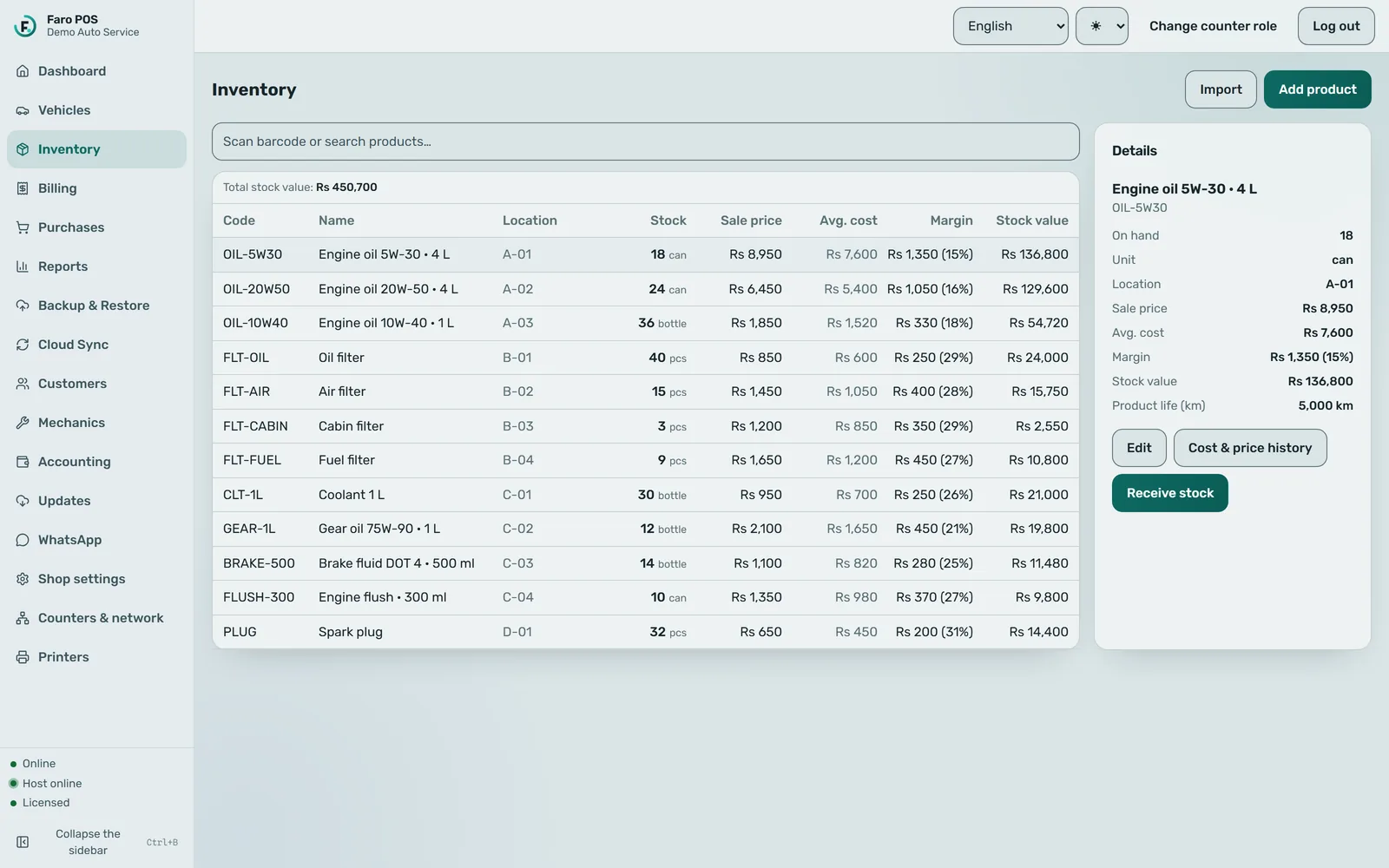
Know what is on the shelf, what it cost, and what is running low.
- Products with code, category, shelf location and a low-stock level.
- Every sale, purchase and adjustment is a stock movement you can trace.
- Record purchases from suppliers, and what you owe them.
- Bring in an existing product list from a CSV, XLS or XLSX spreadsheet.
Customers and udhaar
Credit is part of the trade. Faro keeps the account straight.
- The credit part of a bill goes on the customer’s account, with a note saying why.
- Record payments against a customer’s balance.
- See who owes what, and for how long.
- Mark a customer as opted out of messages; Faro will not message them.
Reports and accounts
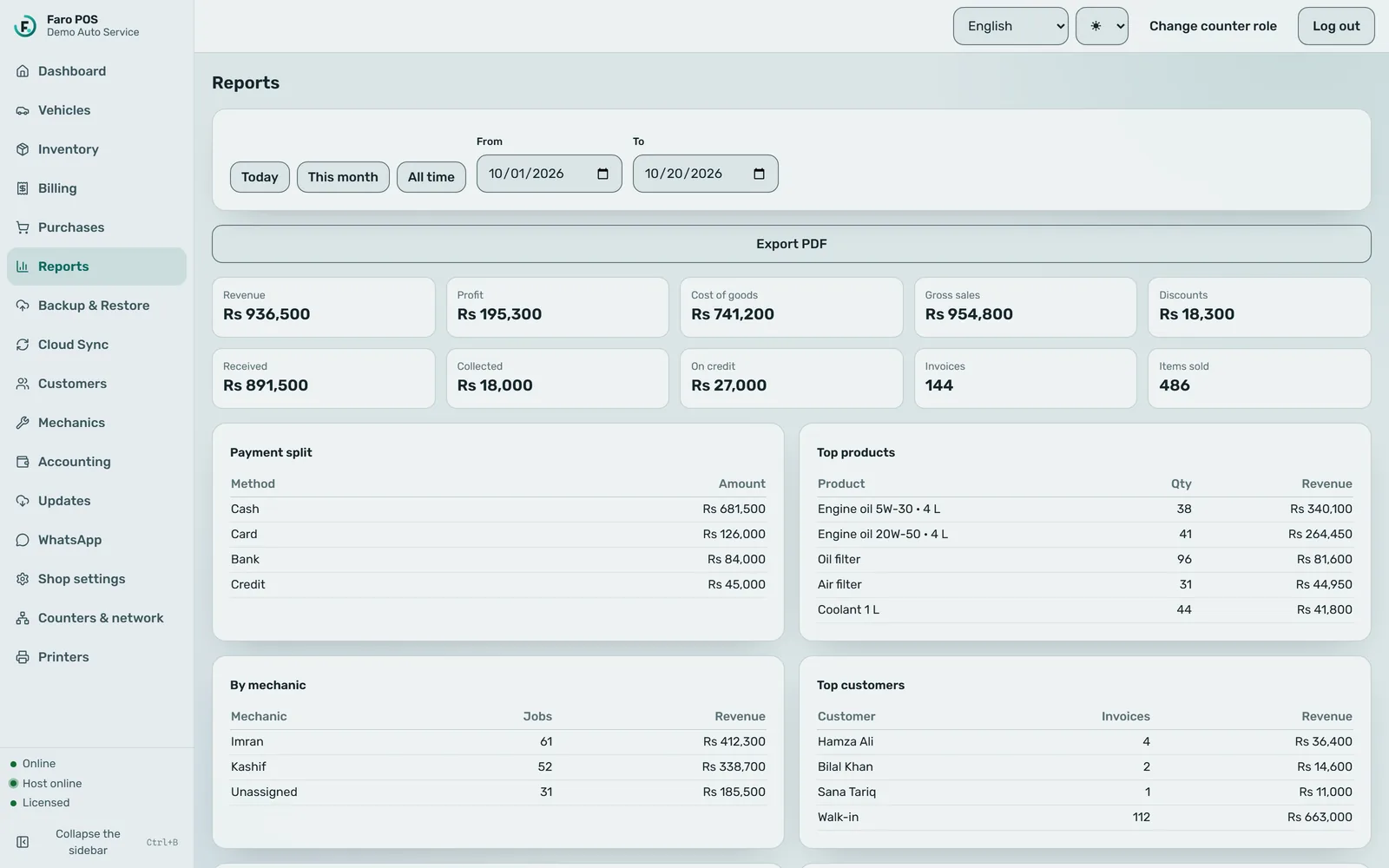
The end-of-day numbers, without a separate notebook.
- Sales, purchase, expense and profit reports.
- A day book, receivables and payables.
- Export reports to files.
Receipts and printing
80 mm thermal receipts, with a confirmed test print before the first sale.
- Print through any printer installed in Windows, or straight to an ESC/POS thermal printer on the network.
- Setup is not finished until a test print has come out and you have confirmed it.
- Compatible ESC/POS cash drawers open through the printer.
- A PDF copy of each receipt is archived on the counter PC.
A4 invoices, job cards, estimates and statements are designed and built, but not switched on yet.
English, Urdu and Roman Urdu
Change the language of the whole app at any time.
- Urdu is laid out right-to-left, in Naskh script.
- Roman Urdu for staff who read Urdu in English letters.
WhatsApp bills and reminders
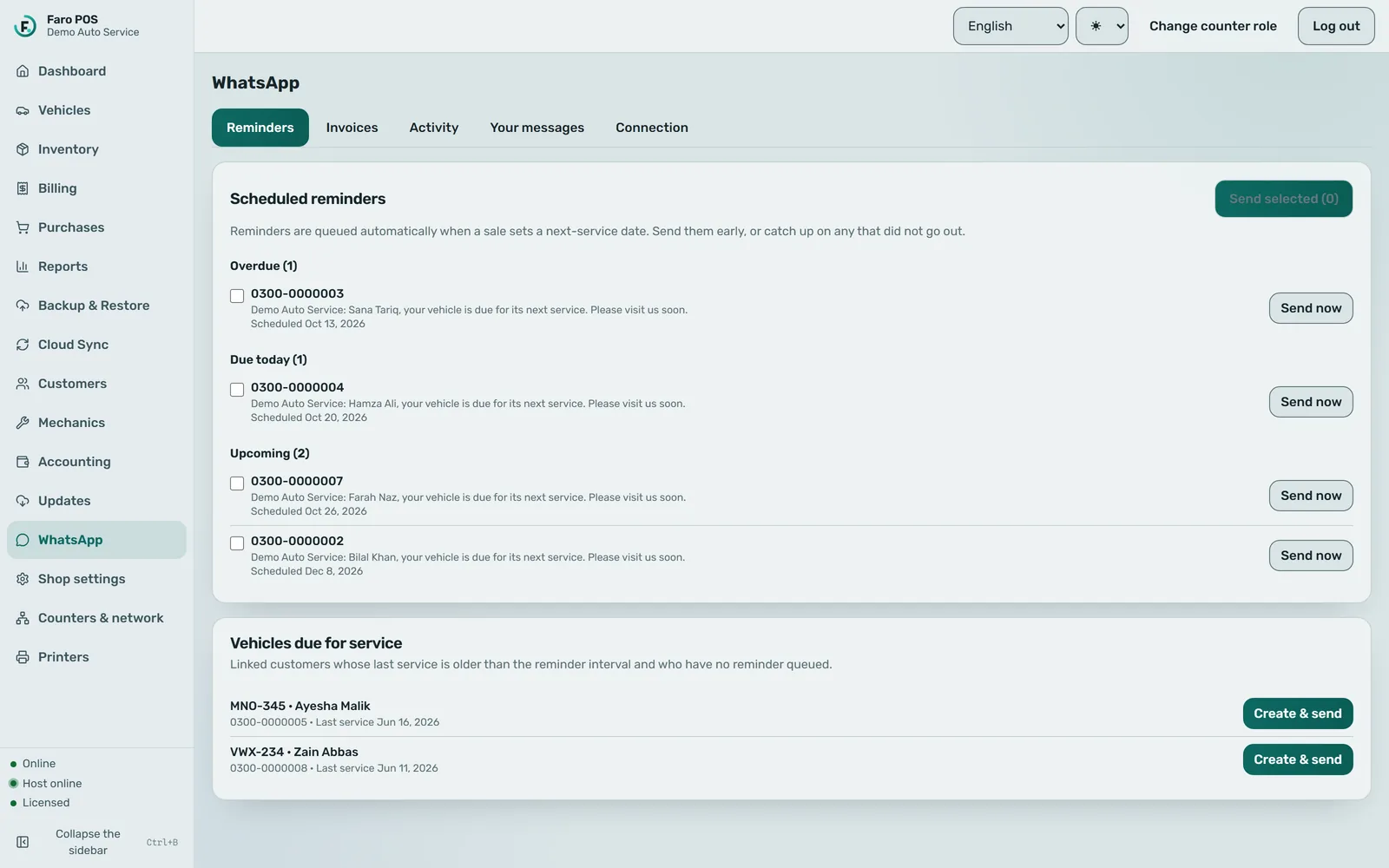
From the shop’s own WhatsApp Business account, paid to Meta by the shop.
- Send a customer their bill, and a reminder when the next service is due.
- The message always carries the amount and the balance, even if the customer never opens an attachment.
- Customers marked as opted out are never messaged.
The official WhatsApp Business connection is in Meta’s app review. Sending the bill as a PDF attachment also needs a message format approved by Meta.
Owner dashboard
A web view of the business, from summaries you choose to sync.
- Sales, profit, top products and what customers owe, per shop.
- Syncing is a button at the counter, not a background upload — the owner sees when it last ran.
- Only summaries are sent, not every bill.
Backup and restore
Get the shop back on a new PC if the old one dies.
- The shop’s database is encrypted on the PC before it is uploaded.
- Restore it onto a replacement PC.
Backups are only as recent as the last one taken; they are not a substitute for looking after the counter PC.
Licence and offline use
One activation per counter, and a check-in at least every 14 days.
- Activating a counter needs an internet connection once.
- After that, billing works offline. Faro needs to reach our licence server at least once every 14 days; past that, it turns read-only until it checks in.
- If a subscription lapses, the shop’s records stay on the PC. Nothing is deleted.
- Staff sign in with their own logins; voids, expenses and supplier payments need an owner or admin.

Not yet
What Faro does not do (yet).
Better to read it here than find out at the counter.
Several counters in one shop
Built, and being hardened. Today each shop runs Faro on one counter PC.
Mac or a phone app
Faro is Windows desktop software. The owner dashboard is a website.
Card machine or wallet integration
Payments are recorded on the bill, not taken by Faro.
Weighing scales
Not supported.
Appointments, inspections, payroll
Not part of Faro. It is built for the counter of an oil-change and service shop.
Code signing for the installer
The current installer is not code-signed yet, so Windows may show a warning. We install it with you.